Who may do what
The May-I matrix: per person and per module nothing, read or write. In W0RK per member and per part.
Voor kletskousen: Bel met de B03M-babbel-B0X!
010-8700808A key for everyone
Not everyone needs everything. In FAM you set that with the May-I matrix, in W0RK with Team.
In the family: the May-I matrix
- Go to Settings → Family → May-I matrix.
- You see a row per family member and a column per module.
- Tap a box to switch between nothing, read and write.
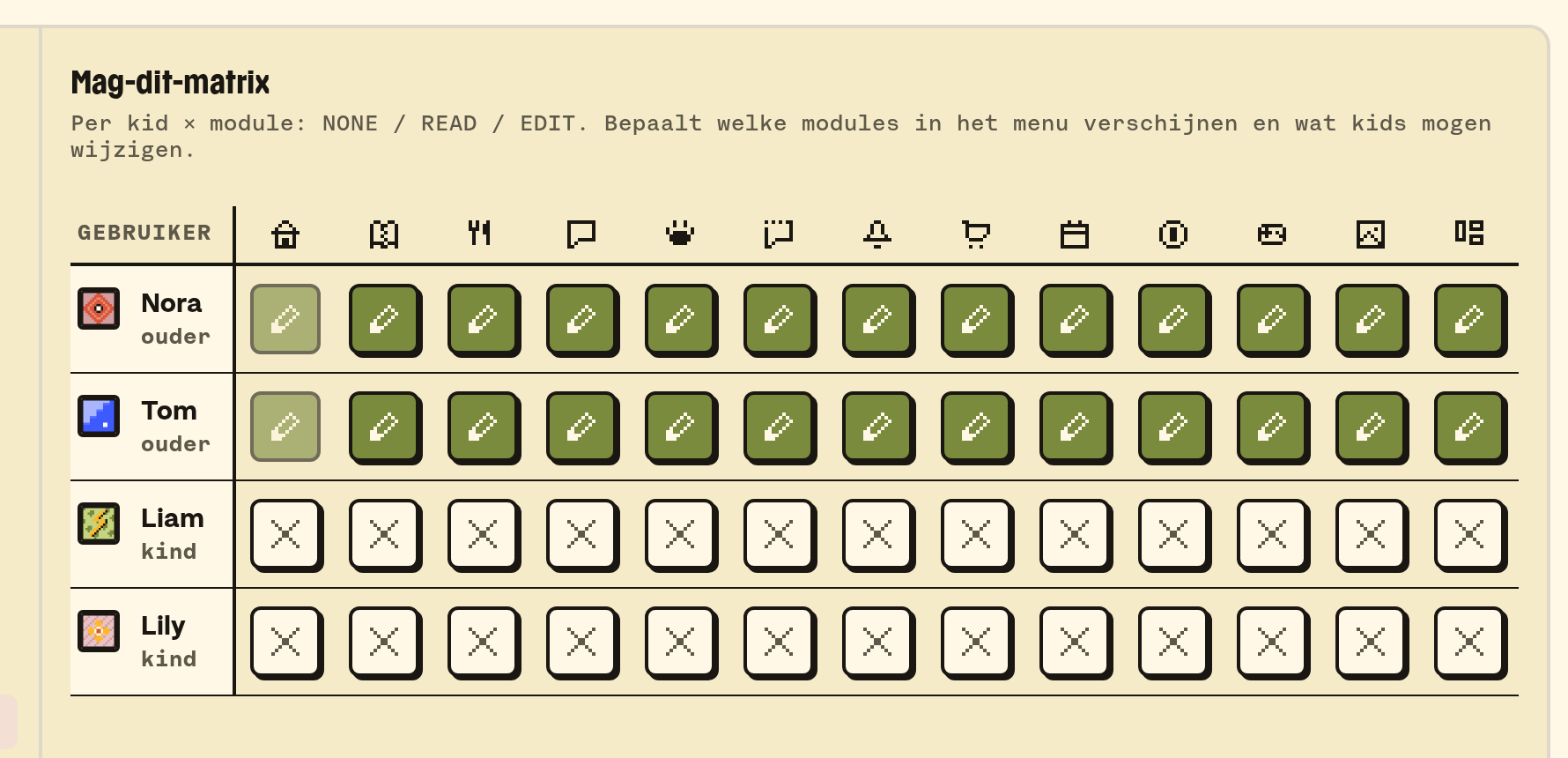
What someone may not do isn't in their dock or their menu, and whoever types in the address reads that it's not possible.
A few examples of how far that goes:
- Whoever may not see Photos sees no photo anywhere, not in the photo widget on Home either.
- Planning only shows the tabs you may open.
- Whoever may see Groceries has the Boards tile, even if the family has Boards switched off. A kid only sees Groceries there.
- The notifications overview is in there too. Whoever may not see it finds it nowhere, not through KletsGPT either.
If someone is in two families, like grandpa, they have their own rights in each family.
Grown up or kid
Whether someone is a grown up depends on their role in the family. Whoever gets the role grandpa, grandma or babysitter under Settings → Family is a grown up, never a kid. Their name then carries the grown up label.
- No kid restrictions: a grown up changes their own name, email and password, logs out by themselves, opens external links, talks to KletsGPT as a grown up and sees the calendar and schedules the way grown ups see them.
- Parent rights: those come from the Parent switch, separate from the role. Without that switch a grandpa manages nothing: no adding or removing members, no passwords, no family settings and no kid mode.
- Boards: without the switch they don't see the parents' Shared board. They do have their own board.
In a workspace: Team
- Go to Settings → W0RK → Team.
- Every member has a role: owner, admin, member or guest. Under Roles you see per part what each role may do.
- What a role may do applies to everyone with that role, and a change works right away. Only the owner adjusts it.
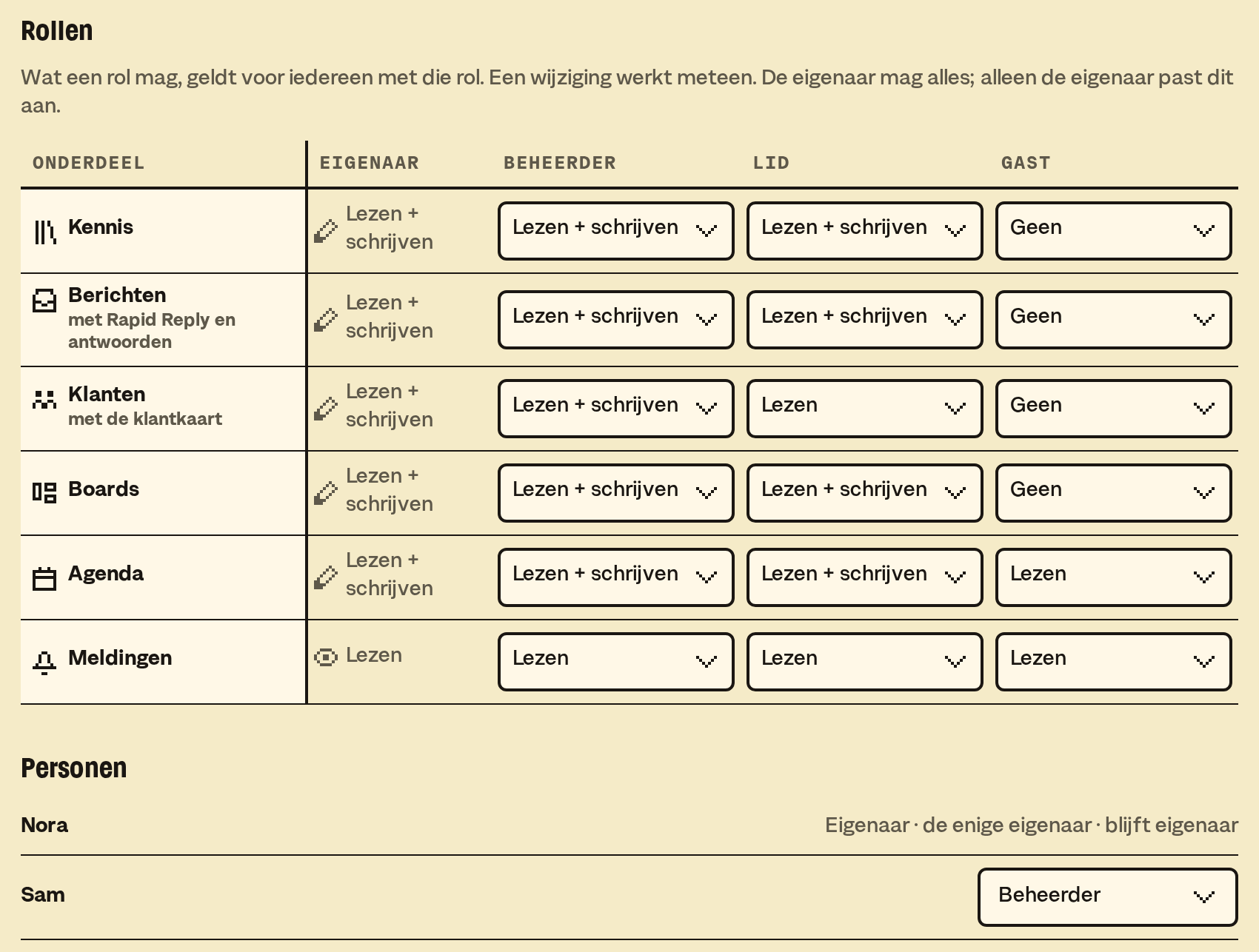
A button someone may not use, they don't see in W0RK. A guest reads, and does nothing else.
A photo for a member
Under People an owner or admin sets a member's photo, with the picture button next to the name. That works for someone with the same role or a lower one.
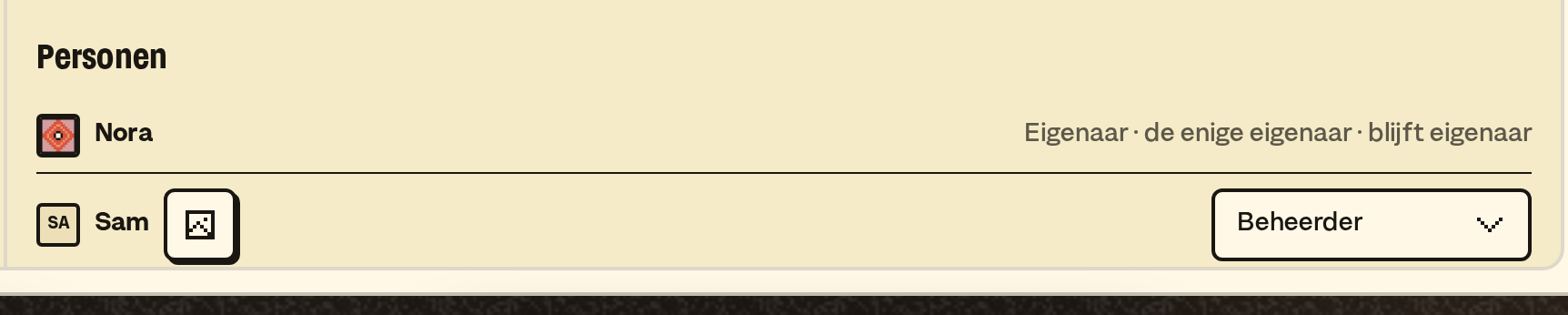
That only works for someone who isn't anywhere else in B03M: no family and no other workspace. Your own photo you set yourself, under Profile.
What it doesn't do (yet)
- Rights per card, per recipe or per box: it's per module.
- The difference between "on/off for the family" and the matrix stays: a module the owner switches off is off for everyone, whatever the matrix says.
B03M gaat stap voor stap open. Kies je lijst, dan nodigen we je uit zodra er plek is.
Laatst bijgewerkt op 29 oktober 2026.