Setting up your family
Who's in, who's the boss, and what's the cat called. All under Settings → Family.
Voor kletskousen: Bel met de B03M-babbel-B0X!
010-8700808Who's in?
A family in B03M is a space of its own. Nobody from outside sees any of it, not another family either. You set it up under Settings → Family; whoever manages the family does that.
How to set it up
- The family itself: the name and a family photo. You can pick that photo from the Shoebox too.
- Family members: add everyone who belongs, with a name and a role in the family (mum, son, grandpa, babysitter). That puts everyone in the calendar, in who's cooking, in the photos and in the living room. A kid never logs in by themselves, but comes in through a parent. More about kids.
- Profiles: parents edit the name, mobile number, favourite colour and photo of every family member. Click a photo and you pick from the Shoebox, only from photos that person is in; B03M cuts out a square. Only the account holder changes an email address.
- Pets: name, species, birth date and photo. With a short description, the living room draws them in pixels.
- House robots: the vacuum has a name too. More about house robots.
- Modules on/off: the family owner switches off modules you don't use. A module that's off is gone for everyone.
- Family language: under Date and time you pick the family's language. A kid who didn't pick a language gets that one, in the B03M texts and in the voice in the little ones' corner. Whoever picked a language themselves (Preferences → Language) keeps it. With Everyone their own language, everything stays as it is. Only whoever manages the family changes it.
- Who may do what: per person and per module, in the May-I matrix.
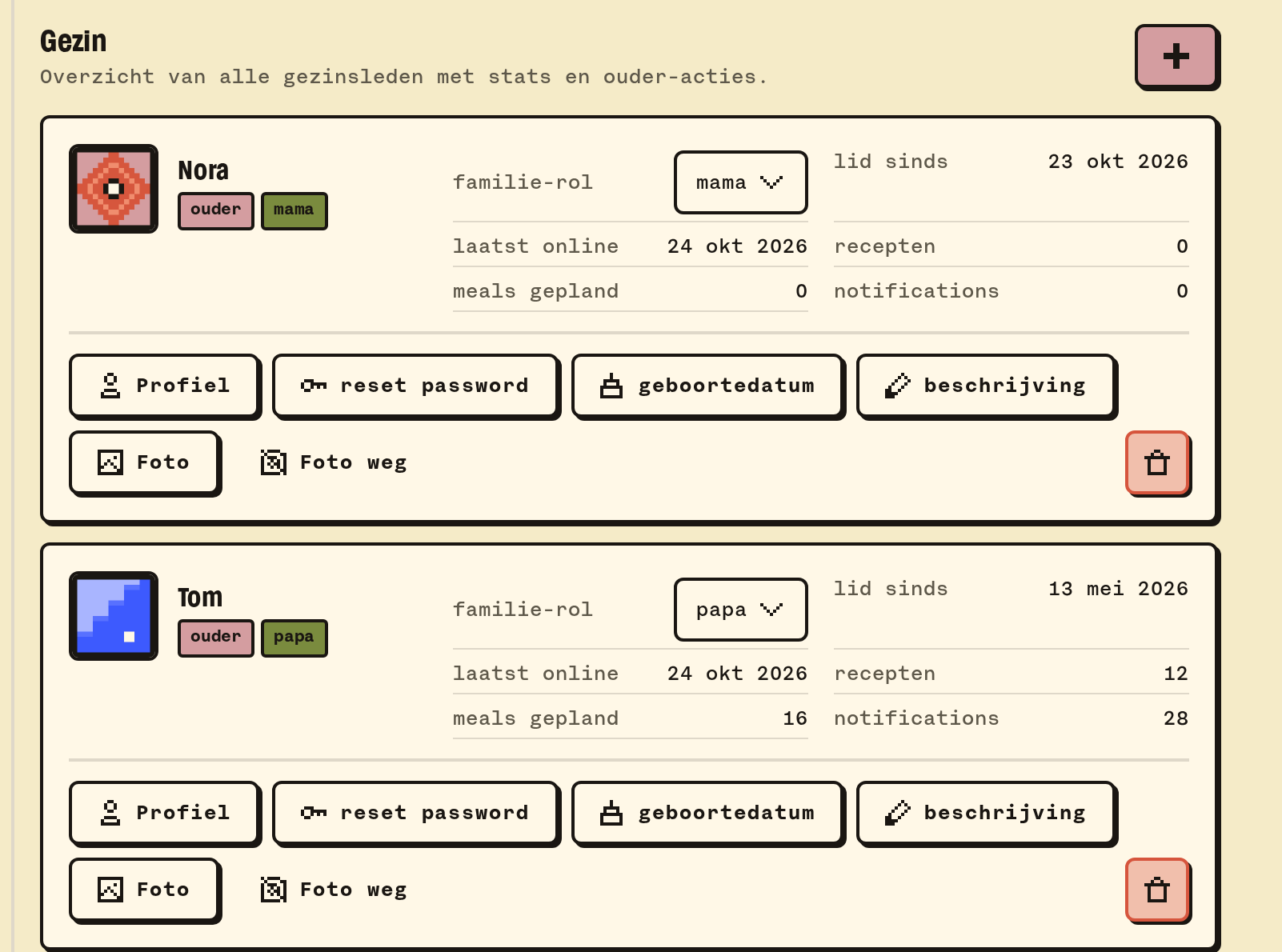
Roles
- Owner: whoever started the family. May do everything, switching modules on and off included.
- Parent: has the Parent switch on, and manages the family and the kids.
- Kid: a screen of their own, with what the parents allow.
Grandpa, grandma and the babysitter are grown ups, never kids. They only manage family settings, members and kid mode with the Parent switch. More about who may do what.
💡
Tip. Fill in the birth date. Then B03M works out how old someone is by itself: with a saying, with a birthday in the calendar, and it helps KletsGPT talk to a kid in the right tone.
What it doesn't do (yet)
- A parent can only set a birth date for someone who isn't in another family.
Op de wachtlijst
B03M gaat stap voor stap open. Kies je lijst, dan nodigen we je uit zodra er plek is.
Laatst bijgewerkt op 29 oktober 2026.