Notifications
What happens, where it belongs. A notification from FAM never shows up in W0RK.
Voor kletskousen: Bel met de B03M-babbel-B0X!
010-8700808Everything in its place
A notification belongs to one place: your family or your workspace. So in W0RK you see no notifications from FAM, not even jokes from the pets in the living room.
How it works
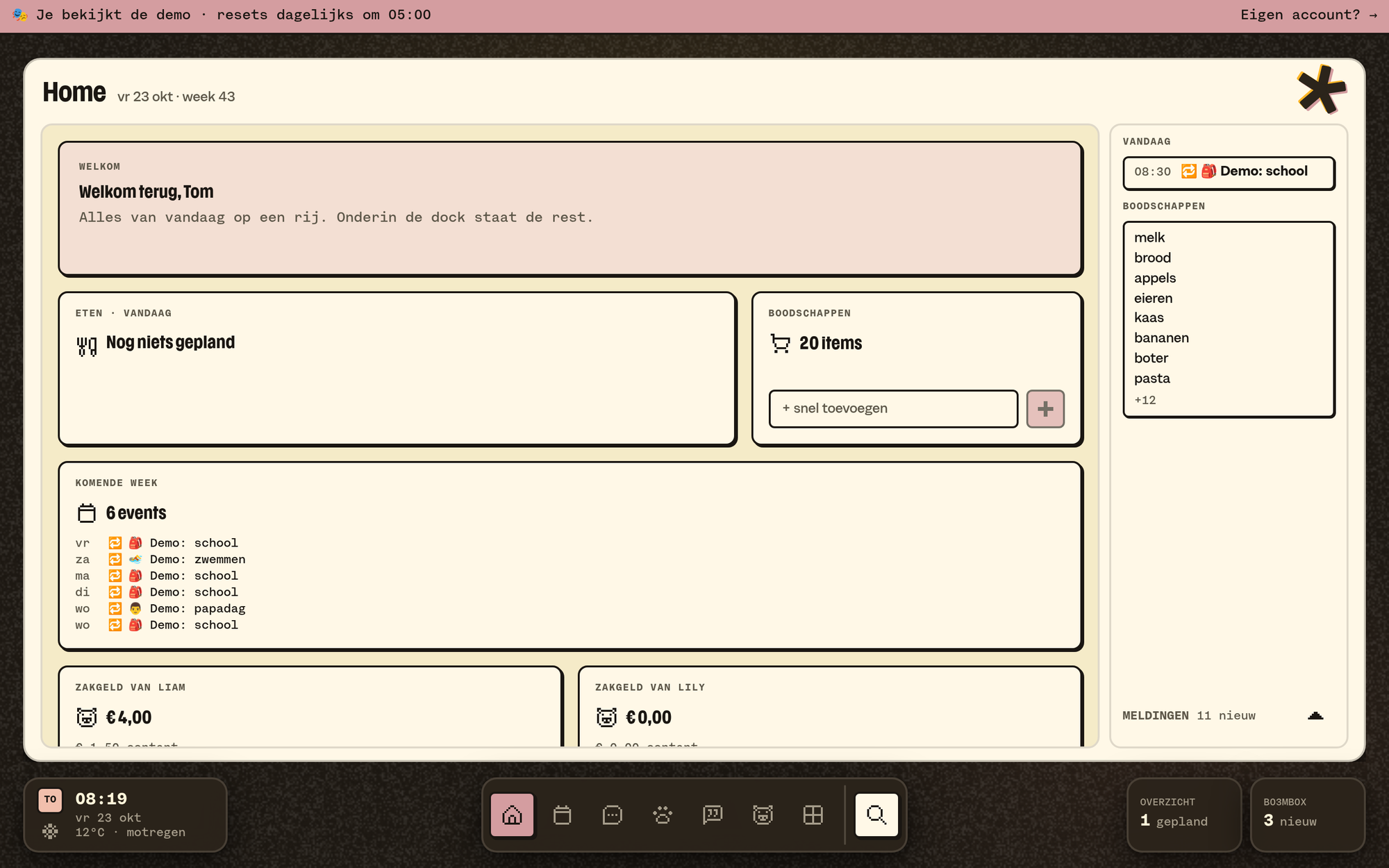
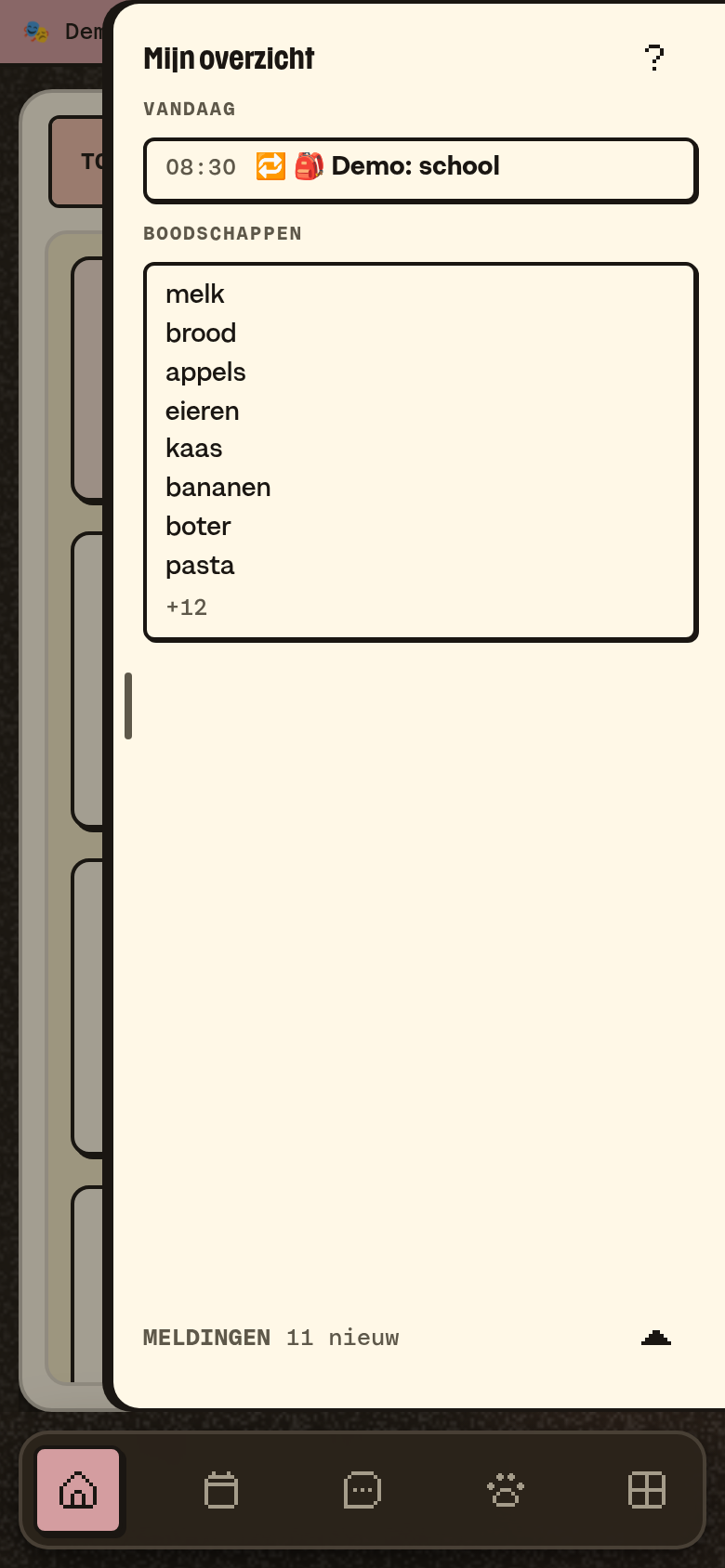
- In the app your notifications sit at the bottom of My overview: in the side column on a computer, and in My overview on your phone. The little arrow folds them into one line, "Notifications · 3 new". B03M remembers that choice per device.
- On your phone or computer: switch on push notifications under Settings → Notifications, and give your browser permission. You do that per device. A push notification comes in your language.
- Picking what you get: under Settings → Notifications you switch notifications on or off per module.
- Read: Mark all read at the bottom of the side column and you're caught up.
💡
Tip. Put B03M on your home screen first, before you switch on push notifications. On an iPhone, a push notification can only go to the app on your home screen. Here's how.
In W0RK
In W0RK, Notifications has tabs: All, Info, Succeeded and Failed. Filter by source with the chips at the top.
What it doesn't do (yet)
- Notifications by text message or WhatsApp.
- Anyone in the family who may not see the notification overview (in the May-I matrix) won't find it anywhere.
Op de wachtlijst
B03M gaat stap voor stap open. Kies je lijst, dan nodigen we je uit zodra er plek is.
Laatst bijgewerkt op 29 oktober 2026.