Home
Your dashboard with tiles you place yourself. ⌘E and you slide them wherever you want.
Voor kletskousen: Bel met de B03M-babbel-B0X!
010-8700808Your tiles, your spot
Home is the first thing you see. In FAM it shows what's going on in the family today, in W0RK your focus and your tiles. Everyone arranges their own Home.
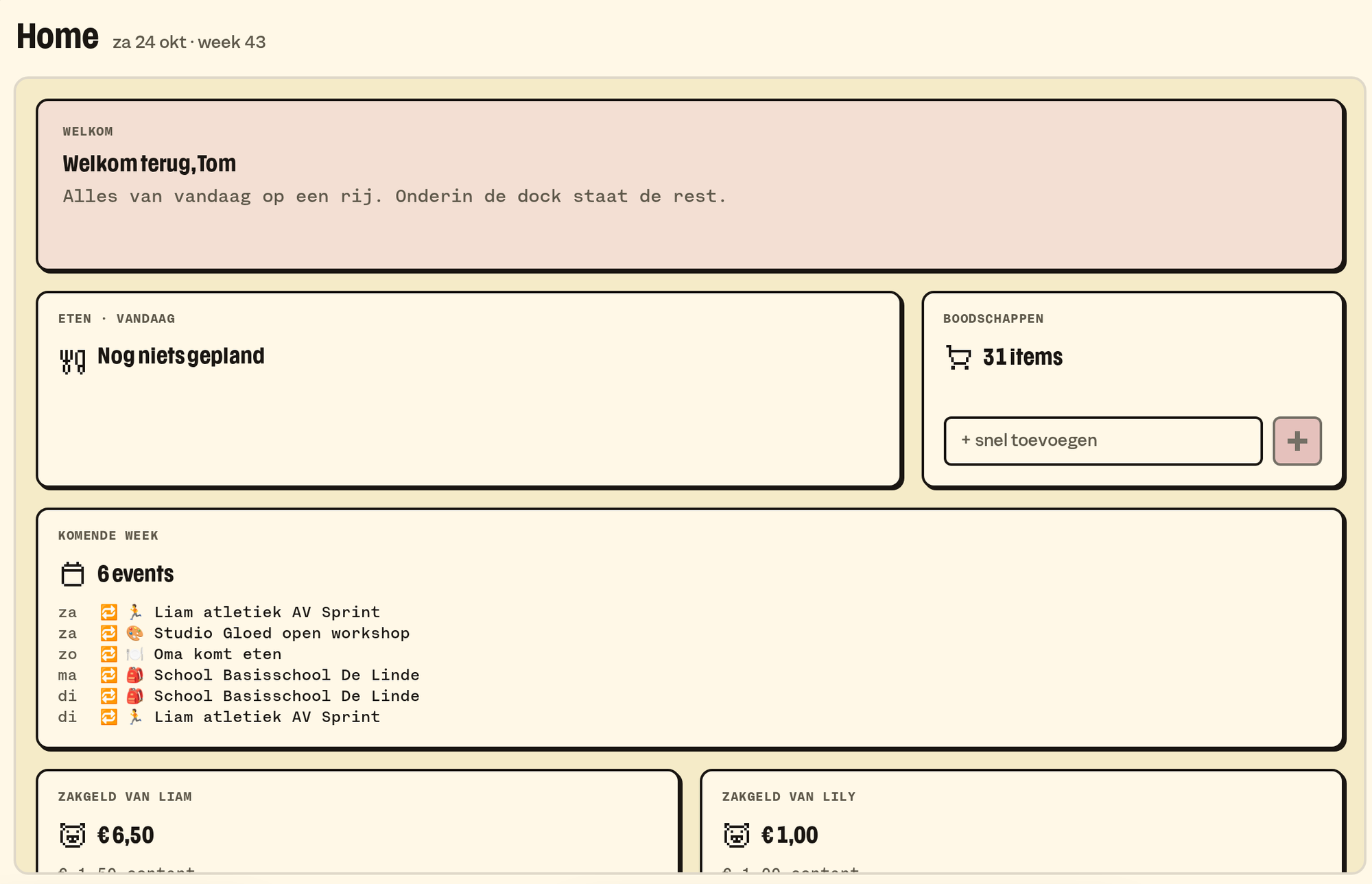
The widgets in FAM
- Welcome, with who you are.
- Calendar: the coming week, from today.
- Counting down to: a countdown to what's coming up, like a birthday or the holidays.
- Food: what's on the menu today, and who's cooking.
- Groceries: what's on the list.
- Saying of the day: a different one every day, the same for the whole family.
- Photo: a different one every few minutes, of the whole family, one person or one box. Click and it opens big.
- Pocket money: a widget per kid.
How to arrange it
- Press ⌘E, or pick Edit in the command menu (⌘K).
- Drag a widget wherever you want it. Pull the handles to make it wider or taller.
- Add or remove. Done: ⌘E once more.
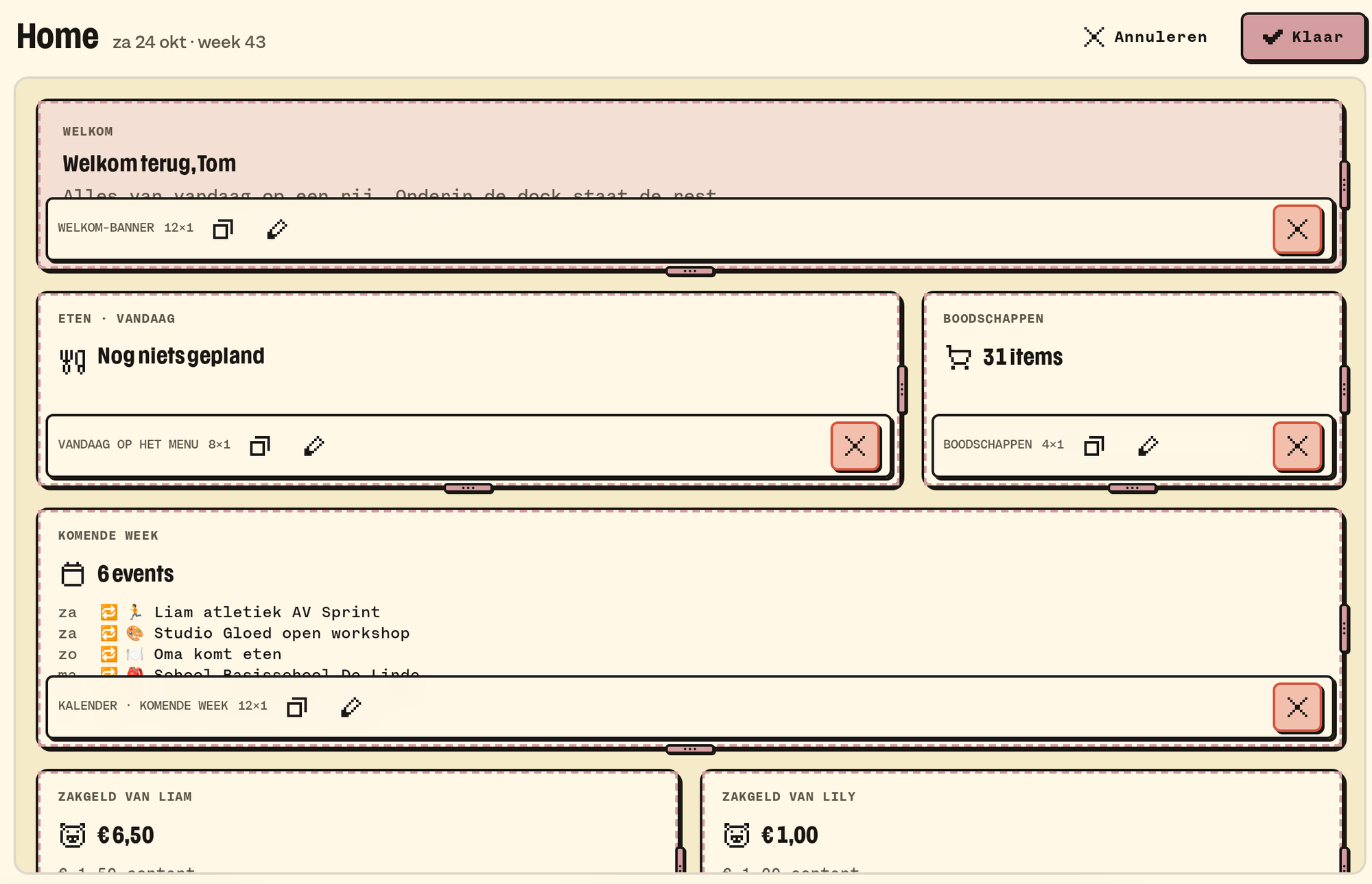
On your phone the order stays.
In W0RK
Home in W0RK has your focus and tiles for Messages, what's parked, what needs reviewing in the knowledge base, the suggestions and your boards. You arrange it the same way, with ⌘E. A whole tile is one link.
What's on the right, and how to open it on your phone: My overview.
What it doesn't do (yet)
- A widget from outside B03M, like a news feed.
- A FAM tile on the W0RK Home, or the other way round: the two environments can't see each other.
B03M gaat stap voor stap open. Kies je lijst, dan nodigen we je uit zodra er plek is.
Laatst bijgewerkt op 29 oktober 2026.