The dock and keyboard shortcuts
Your modules at the bottom, and a key for almost everything. Press ? and you see them all.
Voor kletskousen: Bel met de B03M-babbel-B0X!
010-8700808Faster than clicking
At the bottom sits the dock: a tile per module. The name appears when you hover over it. The last tile, Overview, shows everything that doesn't fit.
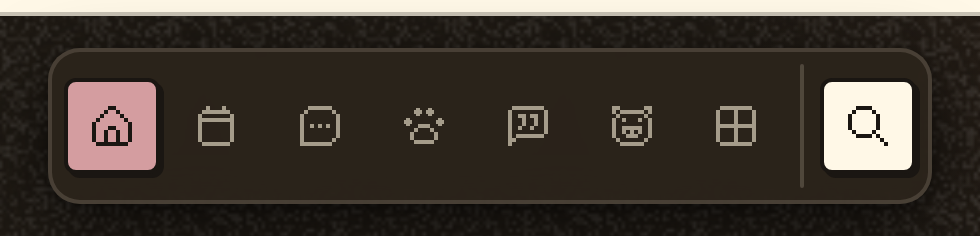
Arranging the dock
- Go to Settings → Preferences.
- Pick which modules are in your dock, and in what order. Fewer fit on your phone; the rest is under Overview.
- Tap a tile twice to go to the start of that module.
The keyboard shortcuts
They never work in a text field, or in a game.
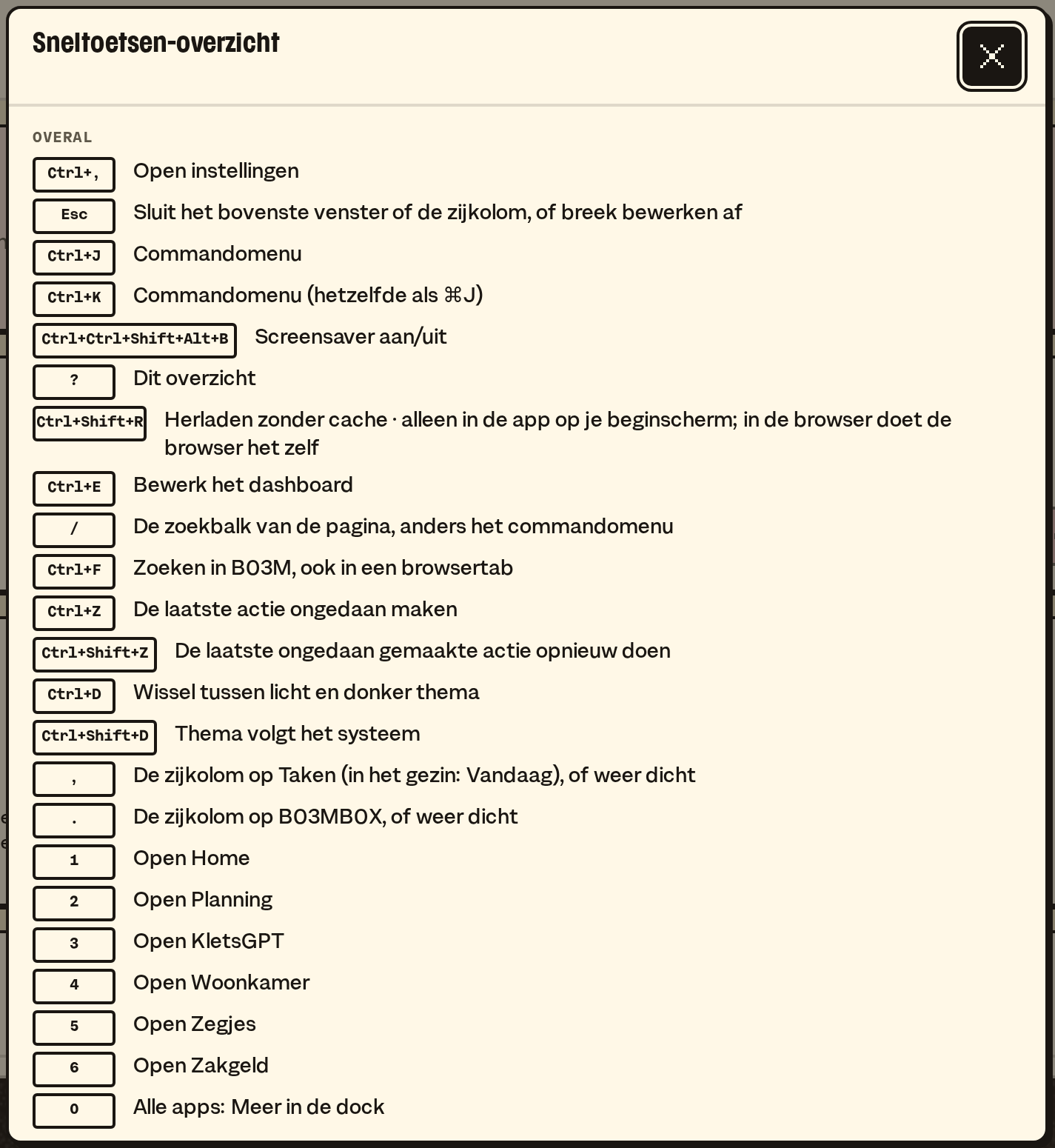
- 1 to 9: the tile in that spot in your dock, back where you were. 0: the overview.
- ⌘K (or ⌘J): the command menu. Type what you're looking for or want to do.
- §: switch between FAM and W0RK.
- / or ⌘F: search.
- ⌘Z and ⌘⇧Z: undo and redo, for whatever can be reversed. A sent answer never comes back.
- ⌘E: arrange the dashboard.
- ⌘,: the settings of the environment you're in.
- ⌘D: light or dark. ⇧⌘D: follow your system.
- Backspace: from a detail back to the overview.
- Esc: close a window, or leave a search box. Your search term stays.
- ?: all keys, those for this page on top.
In Messages and on a board
- \ selects a message, r puts it in Rapid Reply, p parks it, t to Transactional, s to Spam, e or d to Done.
- On a board, q, w and e switch the filters on.
💡
Tip. Good and Send in Rapid Reply have no keyboard shortcut, on purpose. You send an answer with your mouse or your finger, not by accident.
What it doesn't do (yet)
- Setting your own keyboard shortcuts.
- On a touch screen without a keyboard there are no shortcuts; there you have the dock and double tapping.
Op de wachtlijst
B03M gaat stap voor stap open. Kies je lijst, dan nodigen we je uit zodra er plek is.
Laatst bijgewerkt op 29 oktober 2026.