Pocket money
A weekly amount per child, a savings goal, and a child who sees for themselves how much they have.
Voor kletskousen: Bel met de B03M-babbel-B0X!
010-8700808That's how you learn to save
Pocket money keeps track per child of what they get, what they have and what they're saving for. The child sees their own balance, without getting into your banking app.
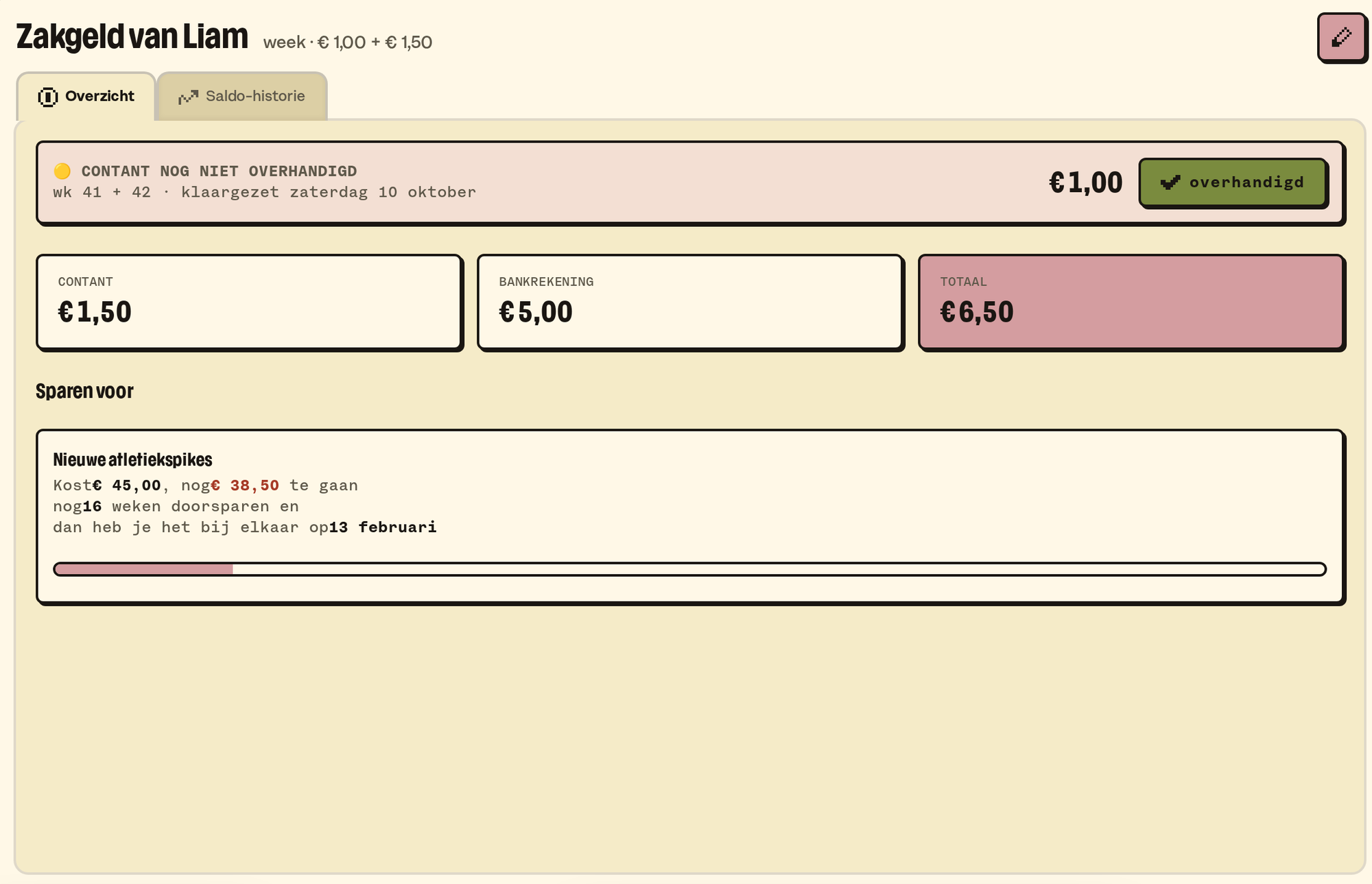
How to set it up
- Go to Settings → Family → Pocket money.
- Pick a weekly amount per child, in cash, in the bank, or both, and the day it gets added.
- From then on it lands on the balance by itself every week.
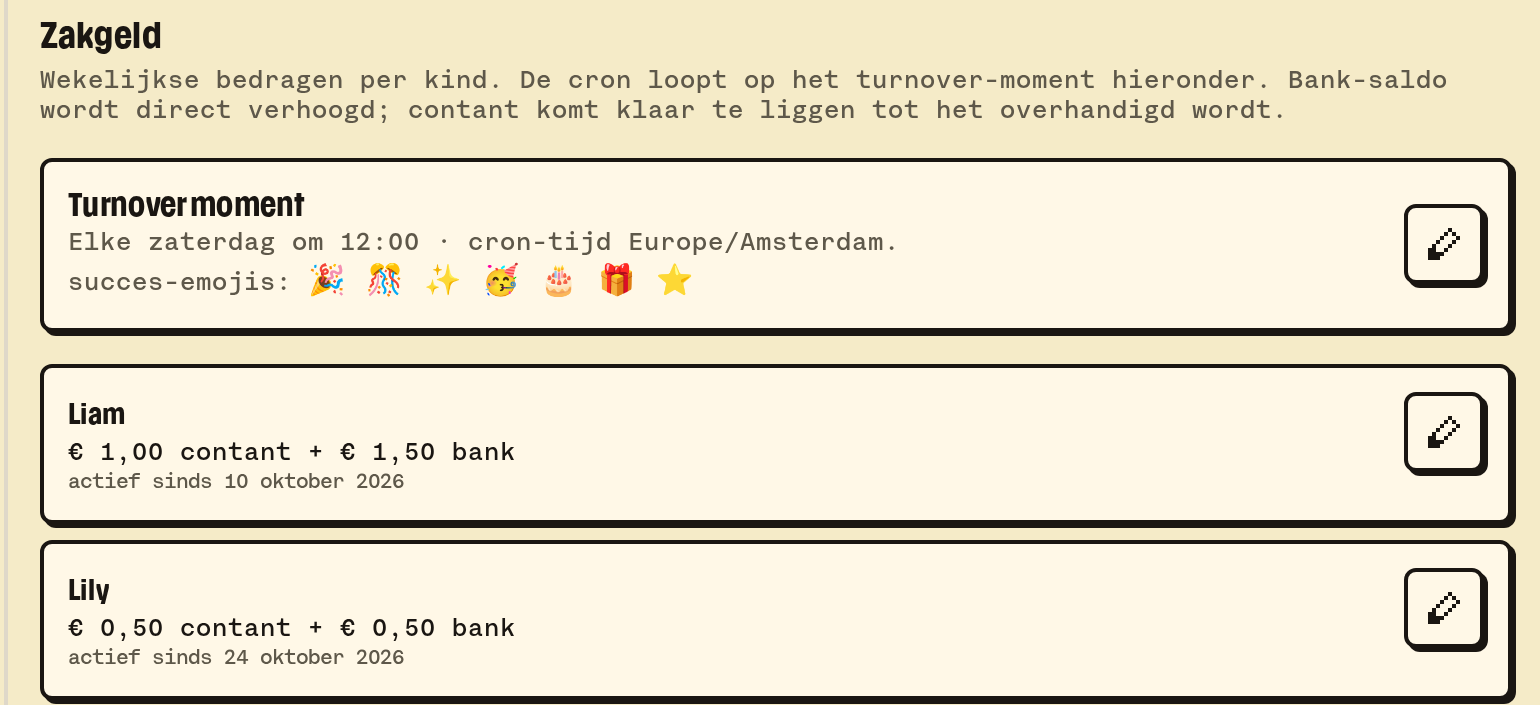
How to use it
- Pay out: if there's cash waiting, tick off that you handed it over. Skipping a week works too.
- A savings goal: a name, an amount and a picture. "New LEGO, € 25." The child sees how far along they are.
- Add or take off: a birthday bonus or a purchase, you add by hand.
- History: everything that came in and went out, per week.
Home has a pocket money widget per child.
💡
Tip. Let the child fill in their own savings goal, picture included. A goal you can see is a goal you reach.
What it doesn't do (yet)
- B03M doesn't move real money. It keeps track; paying is up to you.
- Chores that earn money (the dishwasher = 50 cents) aren't there.
Op de wachtlijst
B03M gaat stap voor stap open. Kies je lijst, dan nodigen we je uit zodra er plek is.
Laatst bijgewerkt op 29 oktober 2026.