The knowledge base
Your business brain. Cards with what's true about your work, with a fixed number, and B03M keeps every version.
Voor kletskousen: Bel met de B03M-babbel-B0X!
010-8700808Your business brain
The knowledge base is the heart of W0RK. Cards with what's true about your work: your offer, your terms, how you go about things. Rapid Reply only writes from what's in here.
You share the knowledge base with your team, and you can plug it into your own AI tool through SM1TH. That makes it your business brain, whichever AI you happen to use today.
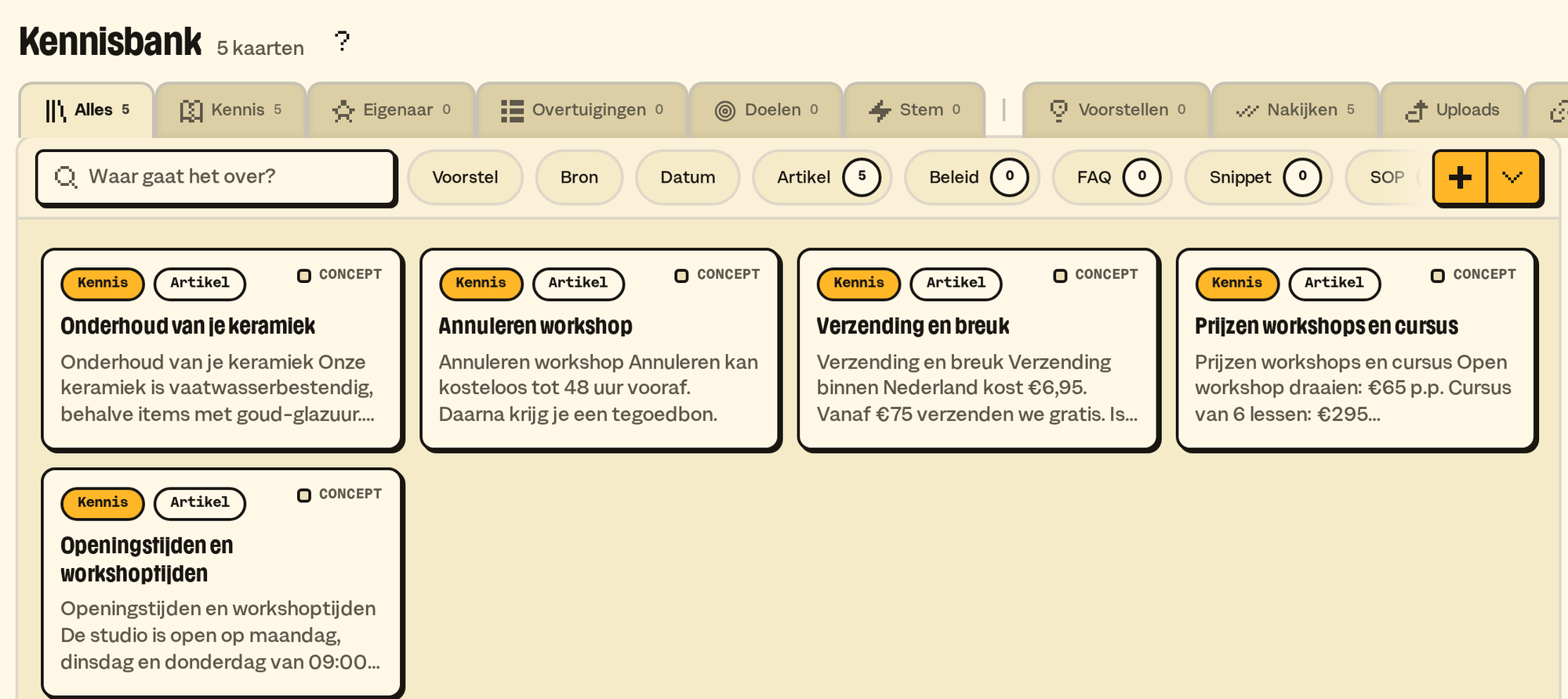
The cards
- Every card has a number shaped like a number plate, and it never changes, not even when you rewrite the title. Click the number and it's on your clipboard.
- Cards refer to each other with the number between double brackets:
[[NUMBER]]. One click takes you to the card. - A file on a card (a price list, a manual) is searchable, and can go along with an answer as an attachment.
- Every change keeps the previous version. Restoring makes a new version, so you always see what was there.
Five categories
They don't do the same thing:
- Knowledge: what's factually true. Prices, delivery times, how something works.
- Owner: who you are and what you do.
- Beliefs: what you stand for, and what you don't.
- Goals: what you're working towards.
- Voice: how you write. More about your voice.
Voice sets the tone of an answer, the other four the content. Below them you make your own subcategories and tags.
Search
Search looks at words and at meaning. A client asks about "shipping time" and your card is called "Delivery times"? B03M still finds it. A new card joins in within ten minutes.
Suggestions
New knowledge comes in as a suggestion, never as a change. Suggestions come from:
- what you change in drafts: if a pattern repeats, B03M suggests updating a card;
- your own AI tool, through SM1TH;
- questions without an answer: answer them, and they turn into a card;
- your website: we can read it in for you once, as a start.
Accept a suggestion, one by one, or reject it, also for a whole selection or source at once. What you rejected, you can bring back.
Review
The Review tab shows cards that are still a draft, were never reviewed, or haven't been looked at for too long. Card still right? Press Still right. How long "too long" is, you set under Settings → W0RK → Knowledge base.
Per screen
- Knowledge, Owner, Beliefs, Goals and a category of your own
- Suggestions
- Review
- Uploads
- References
- A card
- Editing a card
- Uploading a document
- Source
- Settings · knowledge base
What it doesn't do (yet)
- Sharing cards with another workspace, so they stay up to date in both. Taking an archive along and reading it in elsewhere does work; the owner does that.
B03M gaat stap voor stap open. Kies je lijst, dan nodigen we je uit zodra er plek is.
Laatst bijgewerkt op 3 november 2026.