AI in B03M
Where B03M uses an AI, where it doesn't, what goes there, and how to connect your own key in W0RK.
Voor kletskousen: Bel met de B03M-babbel-B0X!
010-8700808Smart, and honest
For a handful of things, B03M uses AI that doesn't run on our own servers. Only when you use that feature, and then only with what that feature needs.
Which model, and where
Most AI in B03M runs on the Mistral Large 4 model, at Ollama Cloud (ollama.com), which hosts the models. If your family has its own voice for the little ones, ElevenLabs (elevenlabs.io) makes those sentences. Your data lives on our own servers at Hetzner in Germany. An AI request goes to those services, with only what the feature needs.
Where it does
- KletsGPT: the conversation, and what KletsGPT looks up for you. More about KletsGPT.
- Recipes: Paste & fill, and translating a recipe.
- Photos: a caption, from your description, the place and the date. Not from the photo itself.
- The living room: a description of a family member or pet. B03M makes the drawing itself.
- Rapid Reply: your client's message and the knowledge base cards that go with it.
- The knowledge base: suggestions, from your corrections or from your website.
- The little ones' voice: the sentences the corner says, once, at ElevenLabs. After that the sound lives with us.
Where it doesn't
- Sorting messages works without AI, with fixed rules.
- Searching the knowledge base by meaning happens on our own network.
- Photos and avatars, passwords and keys, payment details never go to an AI service.
No knowledge, no draft. In W0RK, B03M only writes a draft if your knowledge base covers it, with the cards it's based on alongside. If it's not in there, there's no draft.
Exactly what goes where per feature is on the privacy page. That's also where we explain how we secure your account and data.
Your own key in W0RK
By default a workspace runs on our key, with an allowance per day and per month. You can also connect your own key, from OpenAI, Mistral or another service.
- Go to Settings → W0RK → AI.
- Pick the service and paste your key. B03M tries it first, so you don't find out at the first draft that it doesn't work.
- After that you only see the last four characters, and per day how many requests and tokens you used.
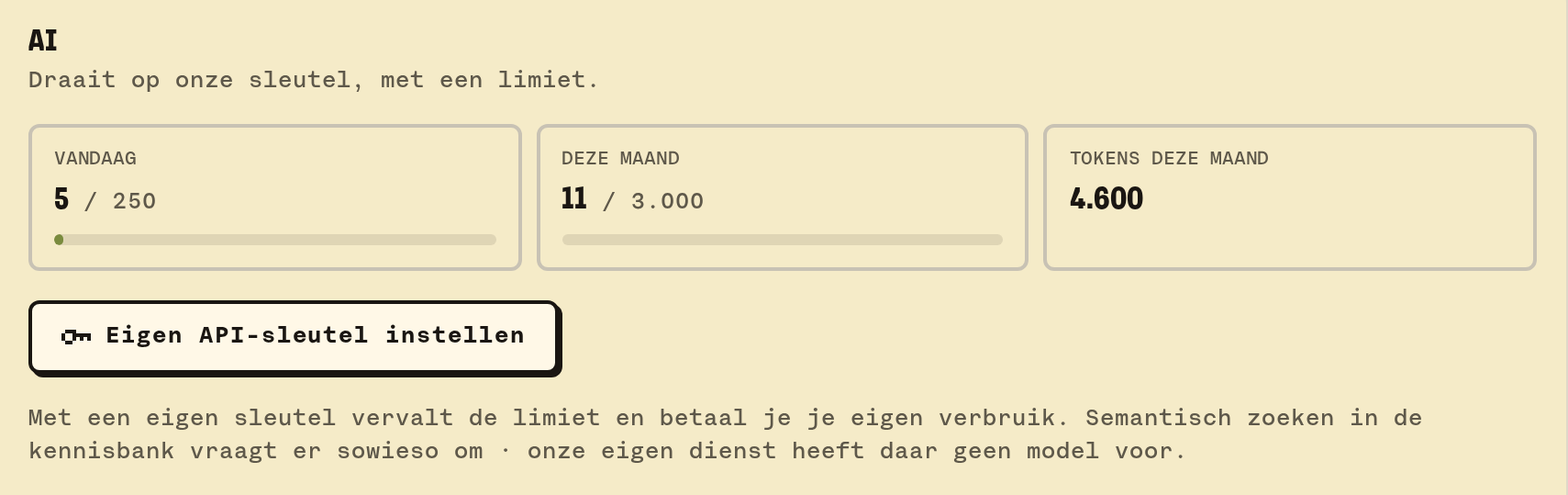
With your own key you pay for your own usage, and there's no limit from us. What you then send to that service falls under your agreements with them.
What it doesn't do (yet)
- In FAM you don't pick an AI service or key yourself; we handle that.
- An AI that sends or changes something by itself doesn't exist here. A draft waits for Good and Send, a suggestion for you to accept it.
B03M gaat stap voor stap open. Kies je lijst, dan nodigen we je uit zodra er plek is.
Laatst bijgewerkt op 30 oktober 2026.