Calendar (FAM)
The family's weekly rhythm, the school and work feeds, holidays, birthdays and what you're looking forward to.
Voor kletskousen: Bel met de B03M-babbel-B0X!
010-8700808Who, what, when
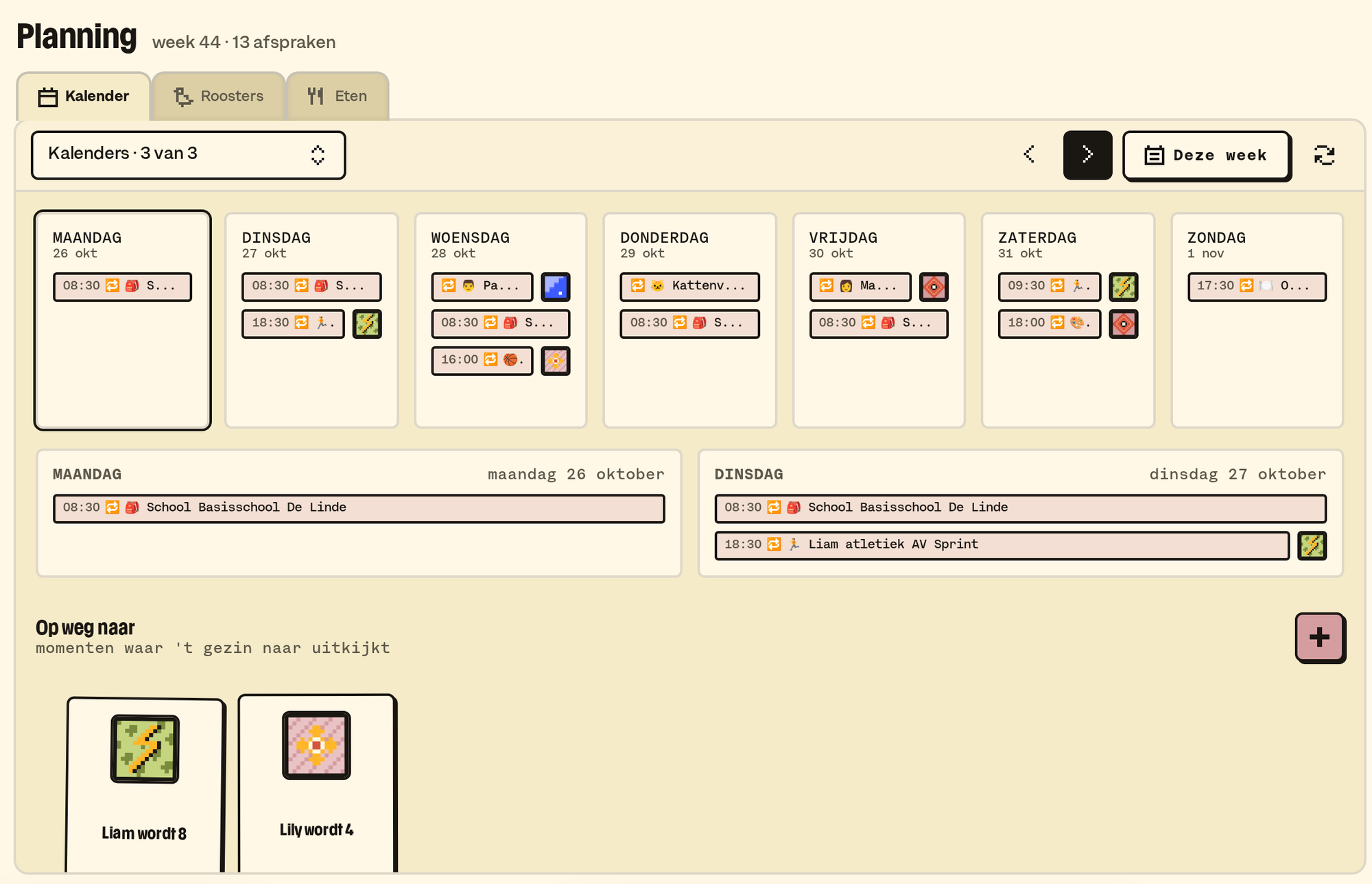
The calendar is under Planning → Calendar: a week view for the whole family. All sorts of things come together there.
- Fixed appointments: the weekly rhythm, like swimming lessons on Thursday or the day grandma babysits.
- Feeds: the school or work calendar, through an iCal address (Parro, Outlook, Google Calendar).
- Holidays: the Dutch ones, by themselves.
- Birthdays: from the family's birth dates. "Your daughter turns nine."
- Counting down to: a countdown to what's coming up, like the holidays or Sinterklaas.
How it works
- A fixed appointment: under Settings → Family → Calendar. Give it a title and an emoji, pick the days, a time or all day, for whom, and whether the kids see it.
- Connecting a feed: in the same place, with a name, the iCal address and an emoji. The emoji then shows next to every appointment from that feed.
- Updating: when someone opens the calendar, B03M fetches the feeds that haven't been updated for a while. Right away works too, with Sync iCal feeds now.
- Ticking: which calendars you tick, B03M remembers for you in this family, on another device too.
- Counting down: in Counting down to, press the plus, and give it a name, an emoji and a date. If it comes back every year, tick that.
💡
Tip. Set a feed that's just for you (your work calendar) to "not visible to kids". That keeps the kids' screen tidy.
What it doesn't do (yet)
- You don't make a one-off appointment (the dentist, next Tuesday) in B03M itself. Put it in the calendar you already use, and connect that as a feed.
- Appointments don't go back to Google or Outlook: B03M only reads.
- What's on today and tomorrow is also in the daily summary, if you switch it on.
Op de wachtlijst
B03M gaat stap voor stap open. Kies je lijst, dan nodigen we je uit zodra er plek is.
Laatst bijgewerkt op 3 november 2026.